
Overview - Build a Design System Validator Using Cline
Overview - Build a Design System Validator Using Cline
Ensuring design system consistency at scale before developer handoff
Ensuring design system consistency at scale before developer handoff
Ensuring design system consistency at scale before developer handoff
As design systems grow, maintaining consistency becomes increasingly difficult, not because designers lack intent, but because manual checks don’t scale.
As design systems grow, maintaining consistency becomes increasingly difficult, not because designers lack intent, but because manual checks don’t scale.
This project focused on building a Figma plugin that automatically validates designs against the Mudra Design System, helping designers identify inconsistencies before handing work over to developers.
This project focused on building a Figma plugin that automatically validates designs against the Mudra Design System, helping designers identify inconsistencies before handing work over to developers.
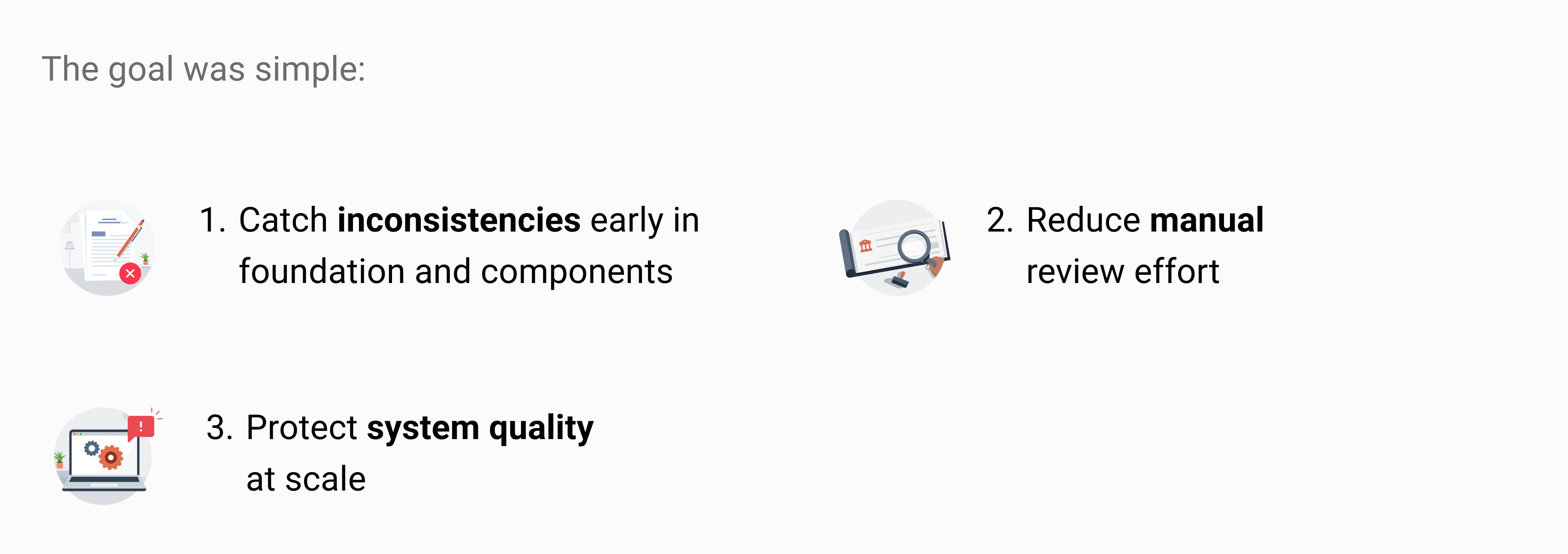
The plugin was built using Cline, with logic designed to compare components, variants, and foundations directly within Figma files.
The plugin was built using Cline, with logic designed to compare components, variants, and foundations directly within Figma files.
Problem Statement
Problem Statement
Why this was Needed
Why this was Needed
Why this was Needed
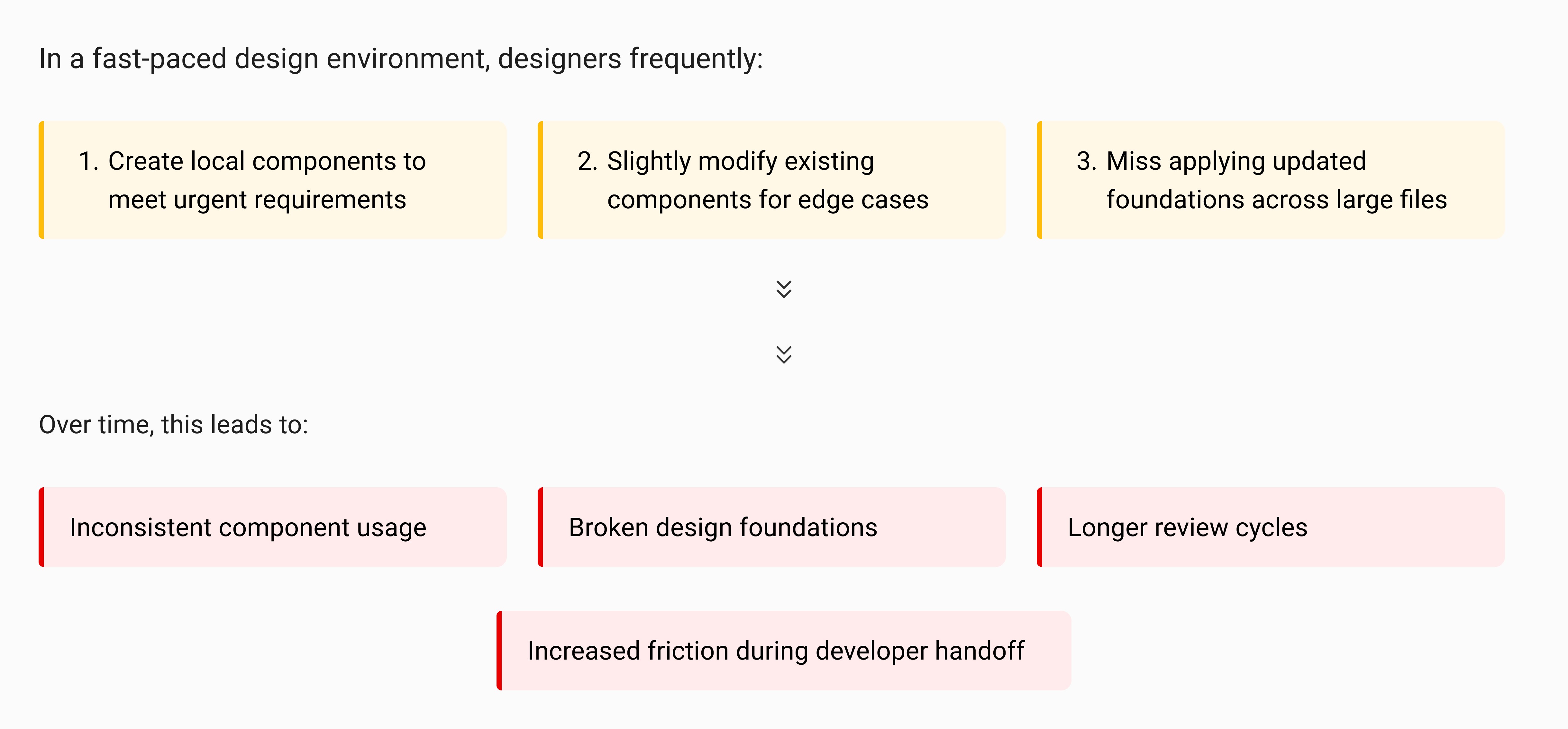
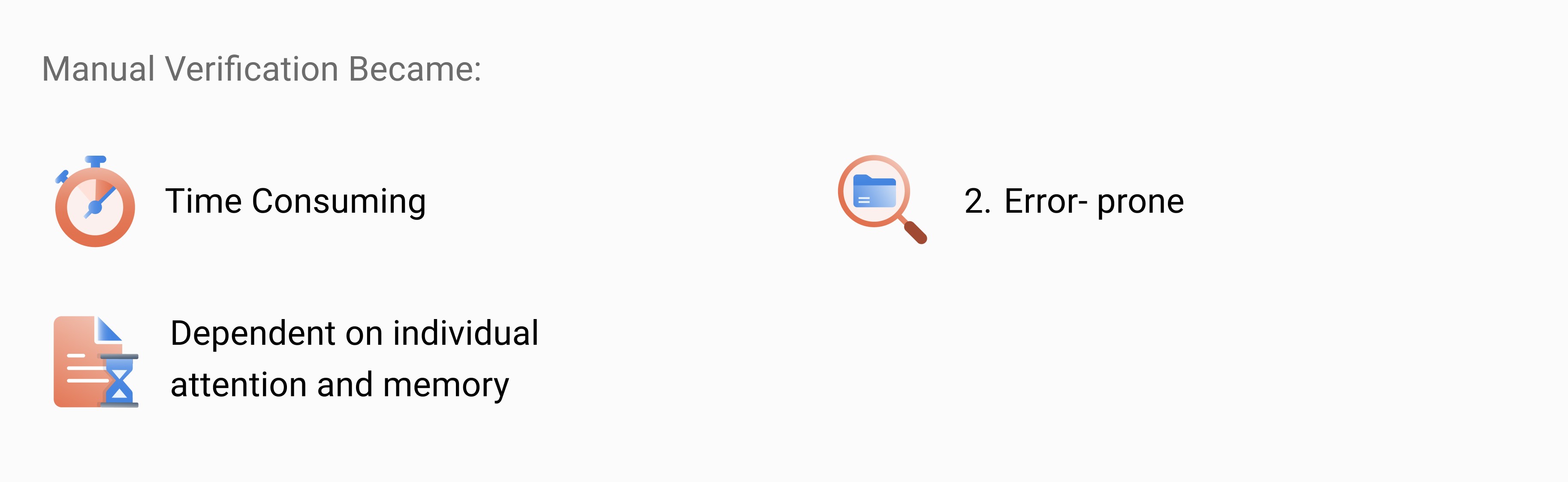
This wasn’t a skill problem.
It was a scale and system problem.
This wasn’t a skill problem.
It was a scale and system problem.
The Core Question?
The Core Question?
Rather than asking how to enforce the design system, I looked for a way to support designers. The goal was to validate system usage automatically, without slowing anyone down.
Rather than asking how to enforce the design system, I looked for a way to support designers. The goal was to validate system usage automatically, without slowing anyone down.
Rather than asking how to enforce the design system, I looked for a way to support designers. The goal was to validate system usage automatically, without slowing anyone down.
The answer was not more documentation. It was a tool that runs checks directly inside Figma
The answer was not more documentation. It was a tool that runs checks directly inside Figma
What the Plugin Needed to Do
What the Plugin Needed to Do
What the Plugin Needed to Do
For the plugin to be genuinely useful, it had to:
Understand how components, variants, and properties are structured in Figma
Compare designs against the Mudra Design System library
Identify local or custom components
Validate correct usage of foundations like color, typography, and spacing
Surface issues clearly without overwhelming designers
For the plugin to be genuinely useful, it had to:
Understand how components, variants, and properties are structured in Figma
Compare designs against the Mudra Design System library
Identify local or custom components
Validate correct usage of foundations like color, typography, and spacing
Surface issues clearly without overwhelming designers
In short, it needed to behave like a reliable design system checklist that runs automatically.
In short, it needed to behave like a reliable design system checklist that runs automatically.
Building Process
Building Process
Designing the Validation Logic
Designing the Validation Logic
Designing the Validation Logic
Before building the plugin, I focused on understanding how design data is structured in Figma.
Before building the plugin, I focused on understanding how design data is structured in Figma.
This involved:
Studying how components, variants, and styles are stored and referenced
Identifying which foundations needed validation
Mapping common inconsistencies designers introduce in large files
Defining clear rules for what should be flagged vs ignored
This involved:
Studying how components, variants, and styles are stored and referenced
Identifying which foundations needed validation
Mapping common inconsistencies designers introduce in large files
Defining clear rules for what should be flagged vs ignored
This step translated an abstract design system into explicit validation rules that could be executed programmatically.
This step translated an abstract design system into explicit validation rules that could be executed programmatically.
Building Process
Building Process
From Logic to Usable Feedback
From Logic to Usable Feedback
From Logic to Usable Feedback
Once validation rules were defined, the next challenge was making the output usable.
Once validation rules were defined, the next challenge was making the output usable.
The plugin was designed to:
Clearly flag local or custom components
Highlight missing or incorrect foundations
Group issues in a structured, scannable format
Focus on actionable problems rather than noise
The plugin was designed to:
Clearly flag local or custom components
Highlight missing or incorrect foundations
Group issues in a structured, scannable format
Focus on actionable problems rather than noise
The intent wasn’t to block designers, it was to support quick cleanup before handoff.
The intent wasn’t to block designers, it was to support quick cleanup before handoff.
Building Process
Building Process
Building, Testing, and Iterating
Building, Testing, and Iterating
Building, Testing, and Iterating
Multiple versions of the plugin were built using Cline in VS Code and tested against real design files.
Multiple versions of the plugin were built using Cline in VS Code and tested against real design files.
Each iteration focused on:
Accuracy of validation
Performance on large files
Clarity of feedback
Reducing false positives
Ensuring the plugin fit naturally into everyday design workflows
Each iteration focused on:
Accuracy of validation
Performance on large files
Clarity of feedback
Reducing false positives
Ensuring the plugin fit naturally into everyday design workflows
This iterative process helped transform the plugin from a technical experiment into a practical production-ready tool.
This iterative process helped transform the plugin from a technical experiment into a practical production-ready tool.
Final Output
Final Output
Glimpse of Plugin Outcome
Glimpse of Plugin Outcome
Glimpse of Plugin Outcome
The final plugin enabled designers to:
Instantly validate designs against the Mudra Design System
Identify custom or local components at a glance
Catch foundation-level issues early
Reduce review time before developer handoff
The final plugin enabled designers to:
Instantly validate designs against the Mudra Design System
Identify custom or local components at a glance
Catch foundation-level issues early
Reduce review time before developer handoff
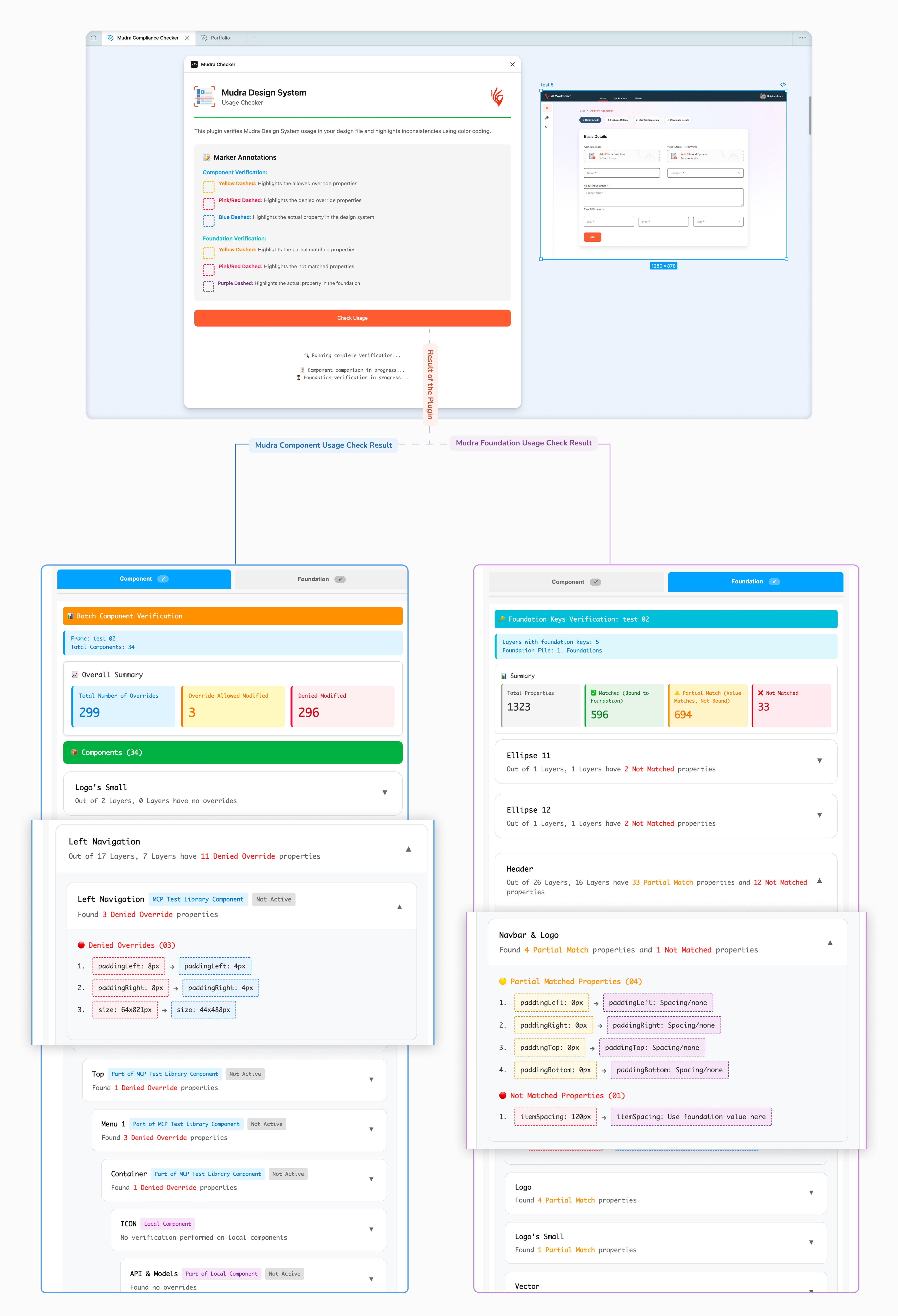
The plugin didn’t replace design judgment, it removed repetitive manual checks.
The plugin didn’t replace design judgment, it removed repetitive manual checks.

Over time, this leads to: