Build Your Own Agents
Build Your Own Agents
Reimagining the Agent Creation journey to Simple, Guided, and Trustworthy
Reimagining the Agent Creation journey to Simple, Guided, and Trustworthy
This project focused on enabling non-technical users to create AI agents without needing prior knowledge of tools, prompts, or system logic while still supporting advanced users through progressive disclosure and transparent system behaviour.
This project focused on enabling non-technical users to create AI agents without needing prior knowledge of tools, prompts, or system logic while still supporting advanced users through progressive disclosure and transparent system behaviour.

Problem Discovery
Problem Discovery
While the platform enabled users to build AI agents using prompts and APIs, the overall experience lacked clarity, guidance, and confidence. Users struggled to understand where to begin, which agent would suit their needs, and how their configuration choices would impact behavior. The creation flow required multiple technical decisions without sufficient context or examples, leading to hesitation and drop-offs. Additionally, the absence of preview, version control, and clear management tools reduced trust and discouraged experimentation. As a result, users were not blocked by capability — they were blocked by uncertainty.
While the platform enabled users to build AI agents using prompts and APIs, the overall experience lacked clarity, guidance, and confidence. Users struggled to understand where to begin, which agent would suit their needs, and how their configuration choices would impact behavior. The creation flow required multiple technical decisions without sufficient context or examples, leading to hesitation and drop-offs. Additionally, the absence of preview, version control, and clear management tools reduced trust and discouraged experimentation. As a result, users were not blocked by capability — they were blocked by uncertainty.
User Interviews
User Interviews
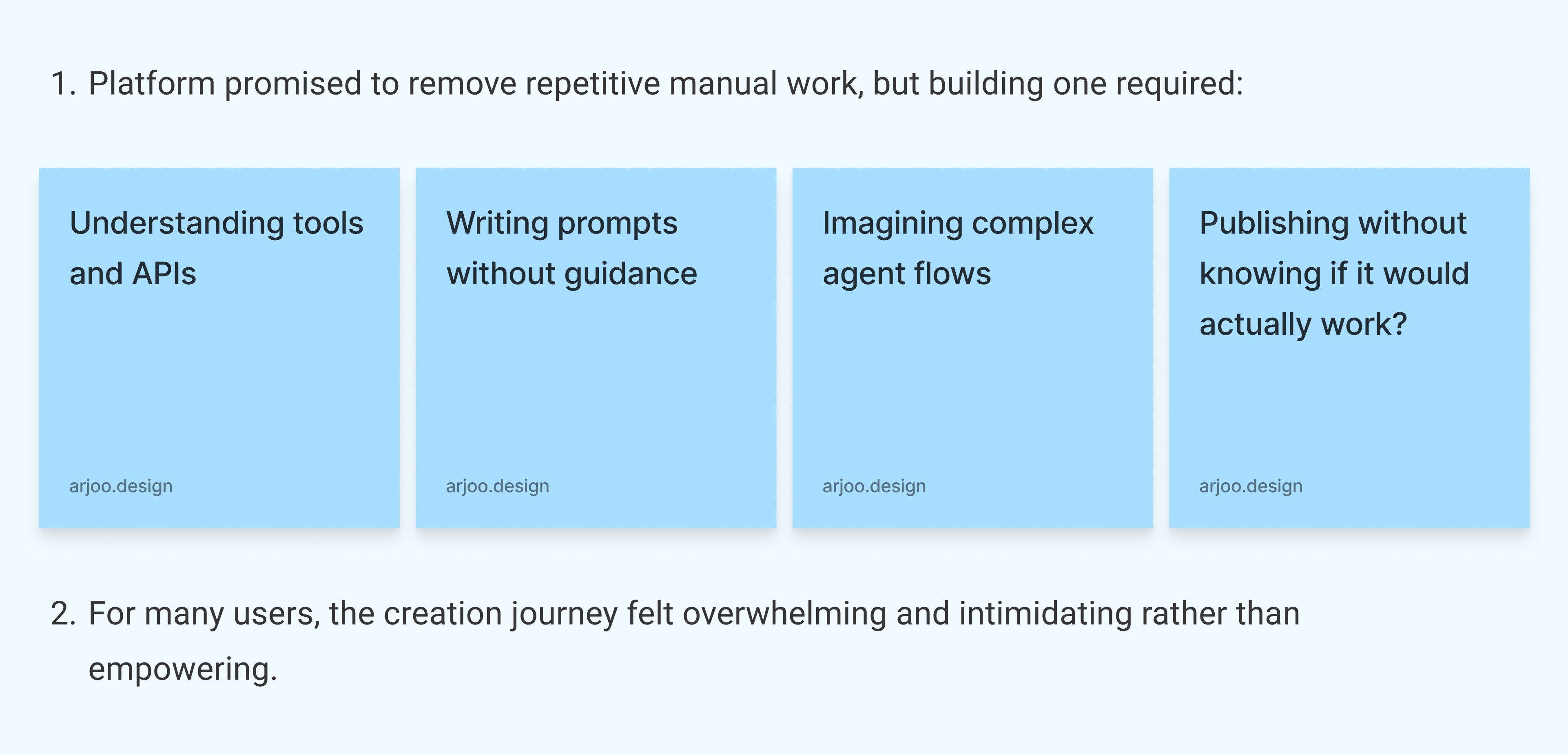
I connected with end users to understand their pain points, daily challenges, and expectations from the system. These conversations helped identify workflow gaps and areas where the system was not effectively supporting them.
I connected with end users to understand their pain points, daily challenges, and expectations from the system. These conversations helped identify workflow gaps and areas where the system was not effectively supporting them.
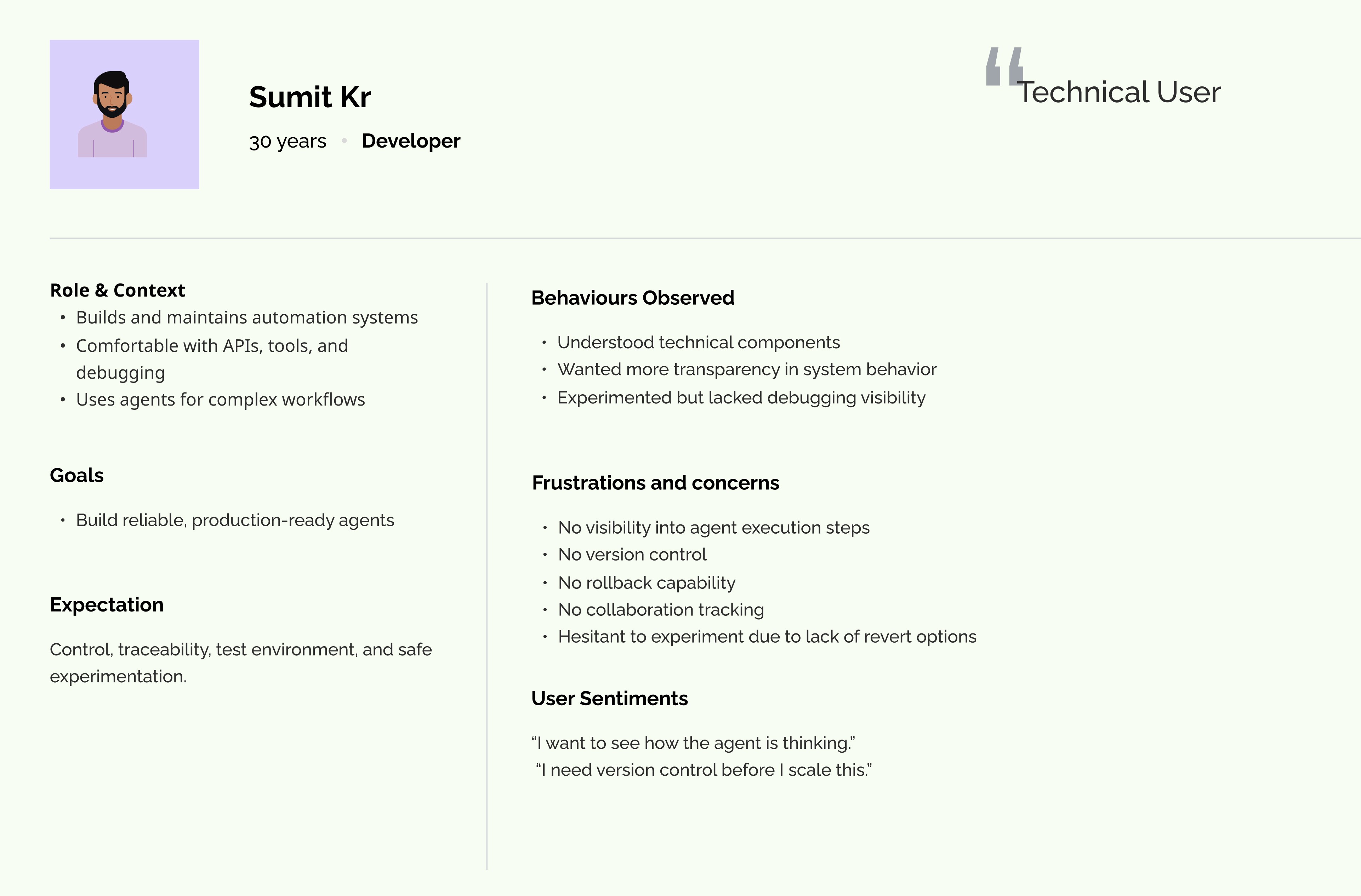
Pain Points/ Challenges
Pain Points/ Challenges
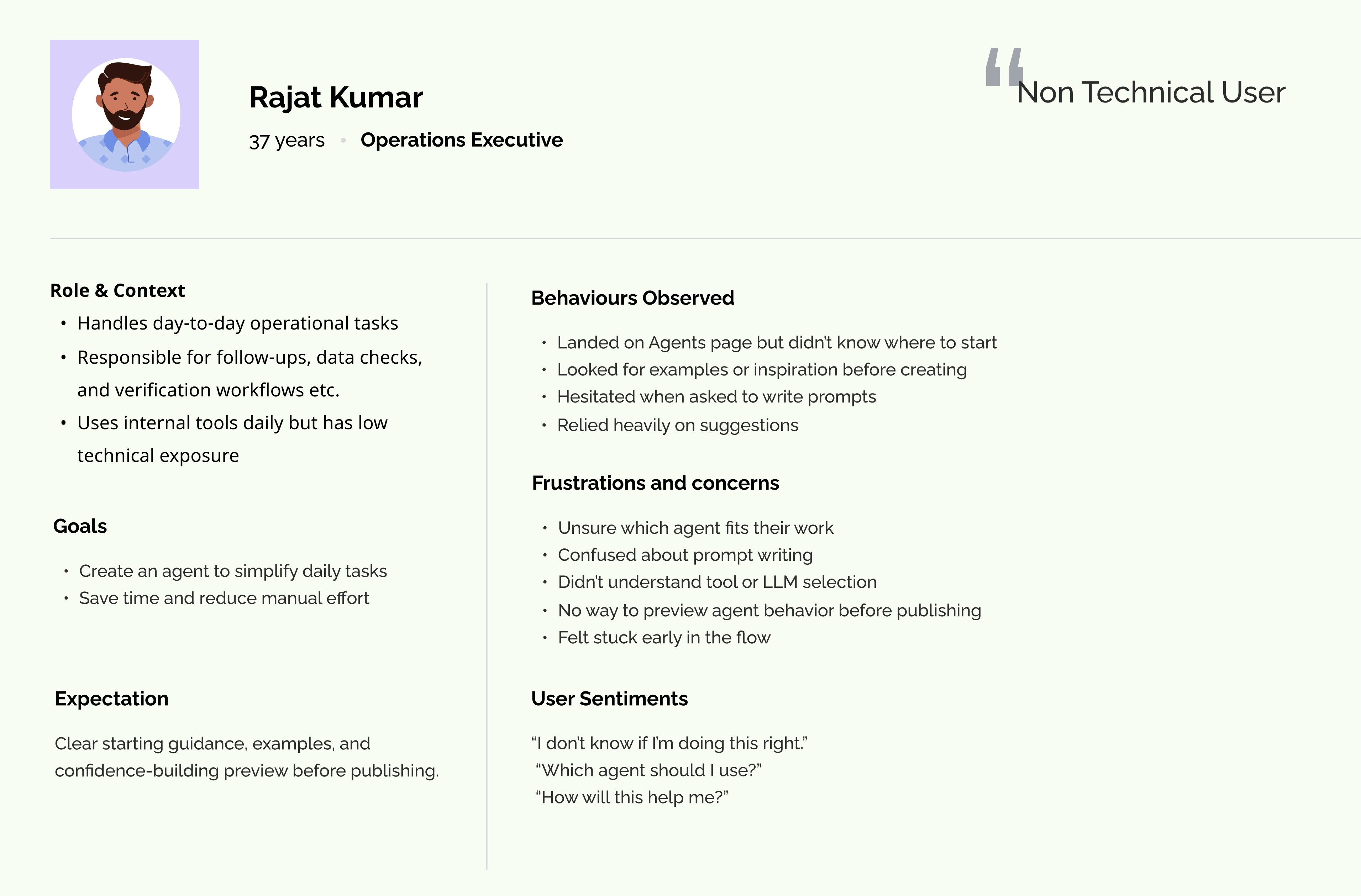
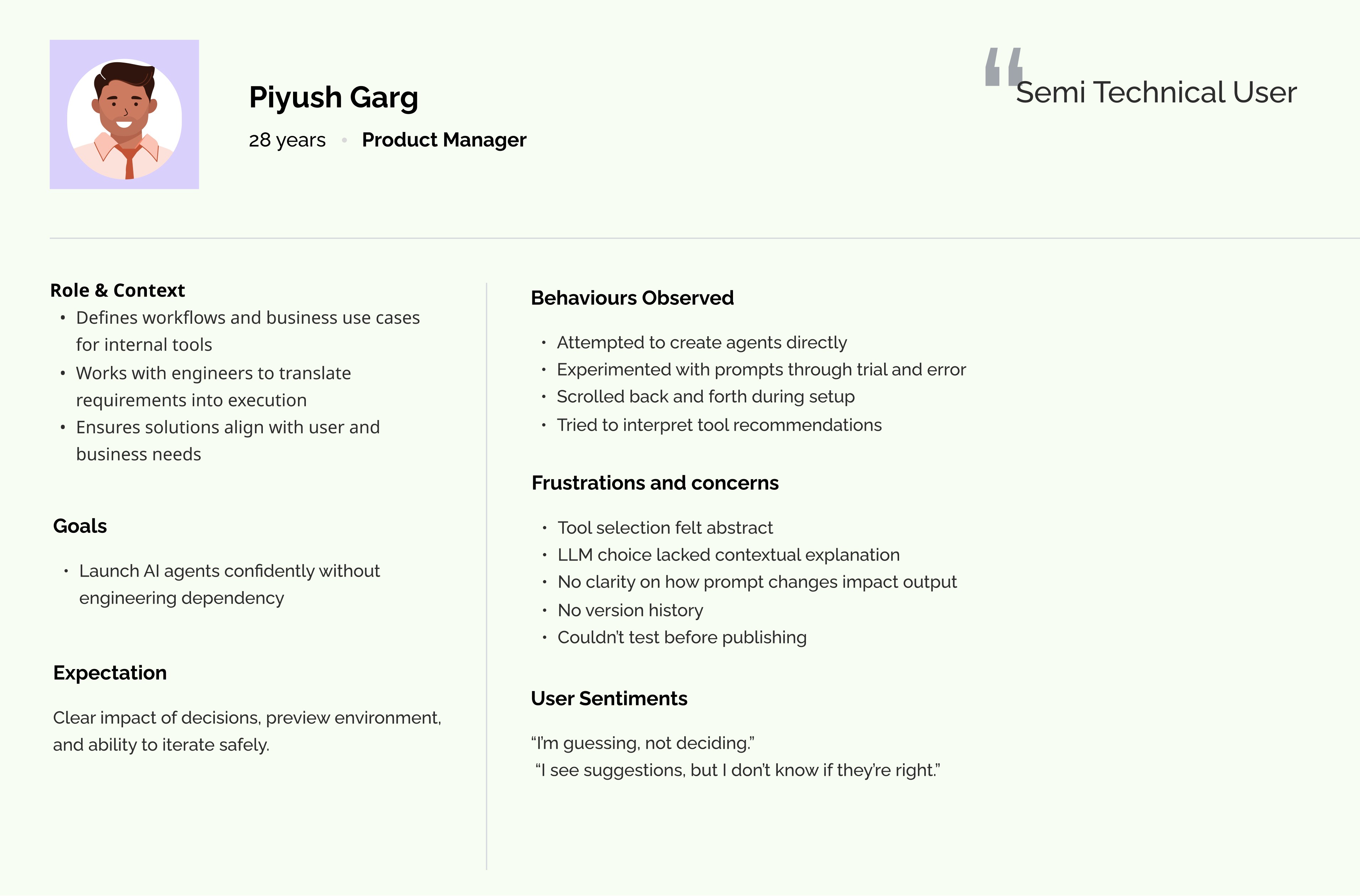
By conducting user interviews, Here’s what I discovered in the existing journey.
By conducting user interviews, Here’s what I discovered in the existing journey.

Instead of feeling helped by the system, users were being asked to think like system designers.
Instead of feeling helped by the system, users were being asked to think like system designers.
Design Goal
Design Goal
The goal wasn’t to add more feature. It was to help users feel confident and trust the process of exploring and building agents.
The goal wasn’t to add more feature. It was to help users feel confident and trust the process of exploring and building agents.
It was about:
Make the journey intuitive
Replace uncertainty with guidance
Help users feel confident at every step
Reduce cognitive load
Explain decisions made by AI
Let users learn, test, and iterate safely
Resolve the challenges user’s are facing on each steps.
It was about:
Make the journey intuitive
Replace uncertainty with guidance
Help users feel confident at every step
Reduce cognitive load
Explain decisions made by AI
Let users learn, test, and iterate safely
Resolve the challenges user’s are facing on each steps.

Inspiration & Exploration
Inspiration & Exploration
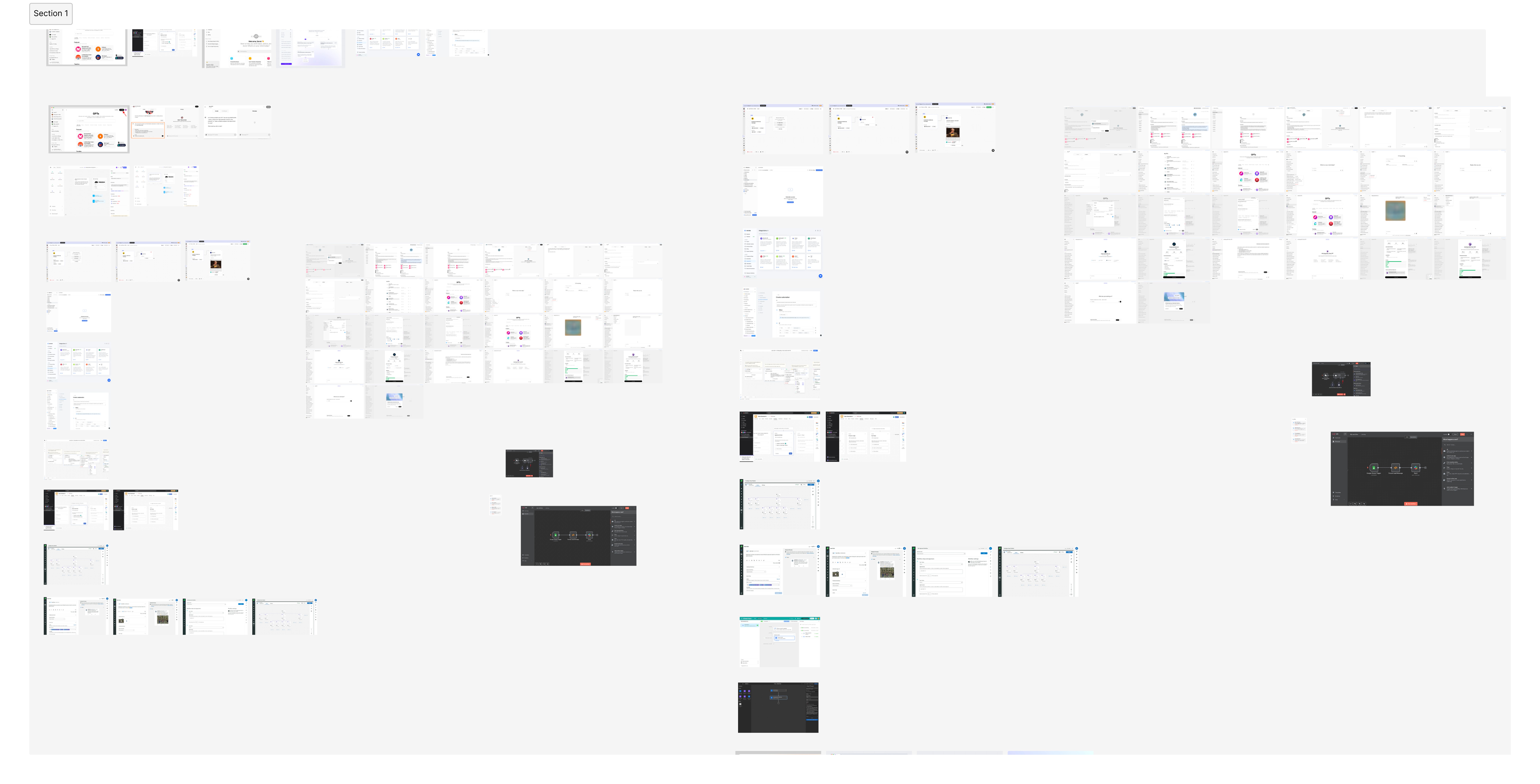
I began by gathering inspiration from similar automation and agent-building platforms such as n8n, Opal, and ChatGPT. I studied how these tools guide users through creation flows, present technical choices, and reduce complexity in prompt or workflow setup. This helped me understand existing patterns, strengths, and gaps in current solutions.
I began by gathering inspiration from similar automation and agent-building platforms such as n8n, Opal, and ChatGPT. I studied how these tools guide users through creation flows, present technical choices, and reduce complexity in prompt or workflow setup. This helped me understand existing patterns, strengths, and gaps in current solutions.
I began by gathering inspiration from similar automation and agent-building platforms such as n8n, Opal, and ChatGPT. I studied how these tools guide users through creation flows, present technical choices, and reduce complexity in prompt or workflow setup. This helped me understand existing patterns, strengths, and gaps in current solutions.
Wireframing
Wireframing
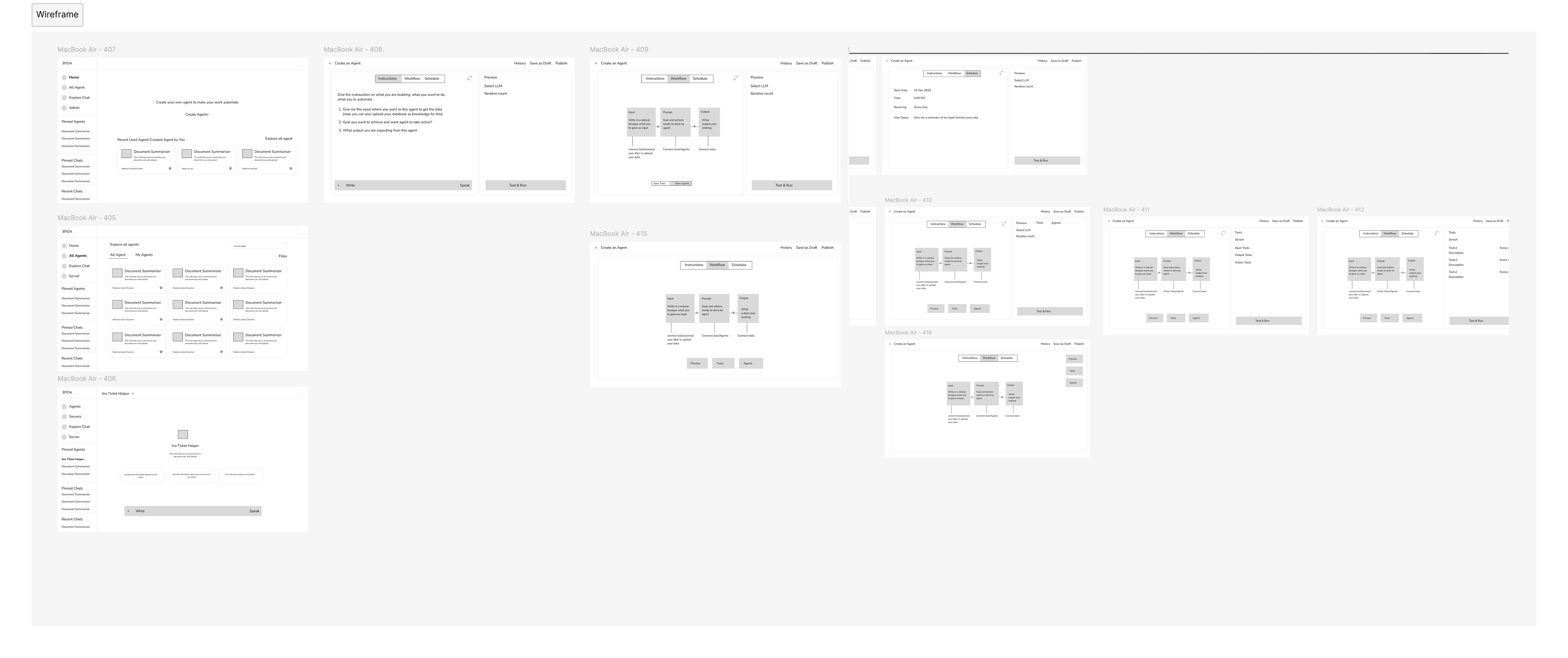
I then created low-fidelity wireframes to map the high-level flow of agent creation. The goal at this stage was not visual polish, but to understand how users would move through the process — from landing on the platform to configuring and publishing an agent. This helped validate structure, sequence, and interaction clarity early on.
I then created low-fidelity wireframes to map the high-level flow of agent creation. The goal at this stage was not visual polish, but to understand how users would move through the process — from landing on the platform to configuring and publishing an agent. This helped validate structure, sequence, and interaction clarity early on.
I then created low-fidelity wireframes to map the high-level flow of agent creation. The goal at this stage was not visual polish, but to understand how users would move through the process — from landing on the platform to configuring and publishing an agent. This helped validate structure, sequence, and interaction clarity early on.
Brainstorming Multiple Approaches
Brainstorming Multiple Approaches
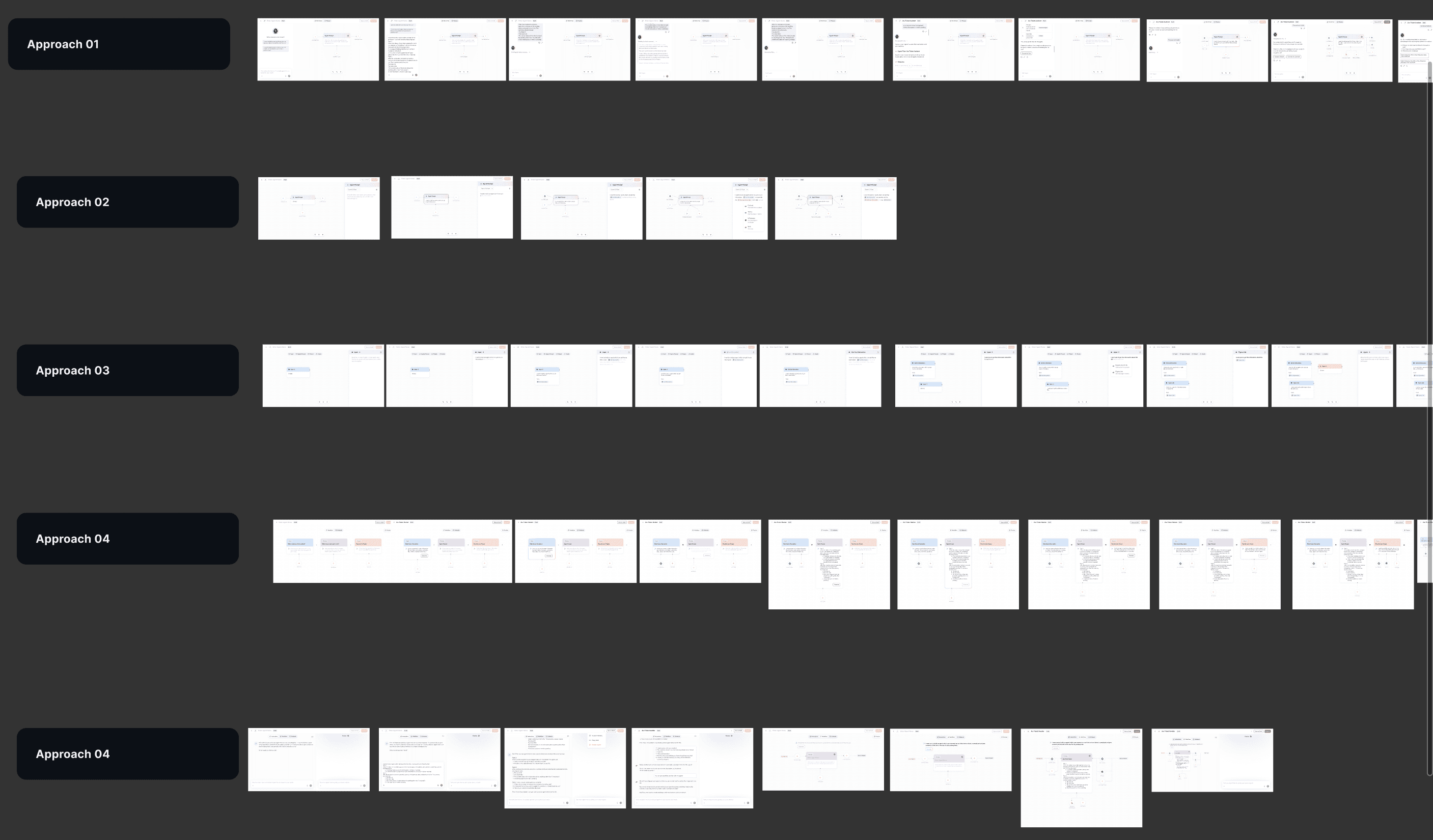
Next, I explored multiple approaches to simplify agent creation. I designed different flow models and interaction patterns to make the process easier and more intuitive. Each approach was evaluated based on usability, clarity, flexibility, and technical feasibility.
After discussing the pros and cons of each option with stakeholders and the team, we finalized a solution that balanced ease of use for non-technical users with control and flexibility for advanced users.
Next, I explored multiple approaches to simplify agent creation. I designed different flow models and interaction patterns to make the process easier and more intuitive. Each approach was evaluated based on usability, clarity, flexibility, and technical feasibility.
After discussing the pros and cons of each option with stakeholders and the team, we finalized a solution that balanced ease of use for non-technical users with control and flexibility for advanced users.
Next, I explored multiple approaches to simplify agent creation. I designed different flow models and interaction patterns to make the process easier and more intuitive. Each approach was evaluated based on usability, clarity, flexibility, and technical feasibility.
After discussing the pros and cons of each option with stakeholders and the team, we finalized a solution that balanced ease of use for non-technical users with control and flexibility for advanced users.
Visual Design
Visual Design
After multiple rounds of wireframing and iterations, I finalized the visual design, ensuring clarity, consistency, and alignment with the structured verification flow.
After multiple rounds of wireframing and iterations, I finalized the visual design, ensuring clarity, consistency, and alignment with the structured verification flow.
A. Introduced an AI assistant that allows users to create an agent using a single-line instruction
A. Introduced an AI assistant that allows users to create an agent using a single-line instruction
A. Introduced an AI assistant that allows users to create an agent using a single-line instruction
This removed the “blank page” problem and gave users an immediate starting point.
This removed the “blank page” problem and gave users an immediate starting point.
B. Added an AI confirmation step to clearly explain what the agent will do, why specific tools or logic were chosen, and how the agent will behave for each request.
B. Added an AI confirmation step to clearly explain what the agent will do, why specific tools or logic were chosen, and how the agent will behave for each request.
B. Added an AI confirmation step to clearly explain what the agent will do, why specific tools or logic were chosen, and how the agent will behave for each request.
This turned AI from a black box into a transparent collaborator, building trust before users proceeded.
This turned AI from a black box into a transparent collaborator, building trust before users proceeded.
C. Designed a flow-structure view that visually shows triggers, decision paths, and tool interactions.
C. Designed a flow-structure view that visually shows triggers, decision paths, and tool interactions.
C. Designed a flow-structure view that visually shows triggers, decision paths, and tool interactions.
This helped users understand how requests move through the agent and reduced uncertainty.
This helped users understand how requests move through the agent and reduced uncertainty.
D. Created a dedicated testing flow where users can simulate real inputs, see step-by-step outputs, view error handling and edge cases, and understand where and why failures occur.
D. Created a dedicated testing flow where users can simulate real inputs, see step-by-step outputs, view error handling and edge cases, and understand where and why failures occur.
D. Created a dedicated testing flow where users can simulate real inputs, see step-by-step outputs, view error handling and edge cases, and understand where and why failures occur.
Helped users catch errors early and trust the agent before deployment.
Helped users catch errors early and trust the agent before deployment.
E. Introduced agent lifecycle management with version history, change tracking, and safe rollback
E. Introduced agent lifecycle management with version history, change tracking, and safe rollback
E. Introduced agent lifecycle management with version history, change tracking, and safe rollback
This encouraged experimentation by allowing users to iterate without fear of breaking existing workflows.
This encouraged experimentation by allowing users to iterate without fear of breaking existing workflows.
F. Created a dedicated Tools Hub that explains what each tool does, when and why to use it, and provides real-world examples
F. Created a dedicated Tools Hub that explains what each tool does, when and why to use it, and provides real-world examples
F. Created a dedicated Tools Hub that explains what each tool does, when and why to use it, and provides real-world examples
Helped users to choose the right tool with confidence.
Helped users to choose the right tool with confidence.
G. Introduced a detailed agent page that explains what the agent does, the tasks it automates, and how it improves efficiency
G. Introduced a detailed agent page that explains what the agent does, the tasks it automates, and how it improves efficiency
G. Introduced a detailed agent page that explains what the agent does, the tasks it automates, and how it improves efficiency
This helped users quickly understand its value.
This helped users quickly understand its value.
H. Introduced an engaging, exploration-first homepage that highlights peer-created agents, common use cases, and clear entry points into agent creation
H. Introduced an engaging, exploration-first homepage that highlights peer-created agents, common use cases, and clear entry points into agent creation
H. Introduced an engaging, exploration-first homepage that highlights peer-created agents, common use cases, and clear entry points into agent creation
This helped users to discover what’s possible and get started with confidence.
This helped users to discover what’s possible and get started with confidence.